On this page
WebAR Creator: Build AR Packaging Without Writing Code


TL;DR
- A WebAR creator is a no-code platform for building browser-based AR experiences that run directly on a smartphone without an app.
- HOVARLAY Creator is built specifically for CPG packaging: brands build, publish, and update AR label experiences without writing a single line of code.
- The no-code approach means a brand team can go from brief to live AR experience in hours, not weeks or months of developer time.
- WebAR creator tools like HOVARLAY support gamified campaigns, lead capture, and real-time analytics alongside the AR experience.
- Brands can test a WebAR creator free, starting with a single SKU, before scaling to a full product portfolio.
What Is a WebAR Creator?
A WebAR creator is a software platform that lets users build augmented reality experiences that run in a mobile browser no app download required. The creator provides a visual interface where AR assets (3D models, videos, animations, overlays) are assembled, linked to a trigger (typically a QR code or image target), and published to a live URL.
WebAR refers specifically to augmented reality delivered through the browser, as opposed to a native mobile app. When a user scans a QR code on a product label, the browser loads the AR experience directly. The WebAR creator is the tool used to build and manage that experience before the scan event ever happens.
For CPG brands, a WebAR creator means the AR packaging experience is entirely in the brand team’s hands. No agency brief, no developer dependency, no three-month production cycle. HOVARLAY Creator is designed for exactly this use case: brand managers and marketing teams who need to build, launch, and update AR packaging experiences on their own schedule, at a per-SKU cost that scales with their portfolio.
How Does HOVARLAY Creator Work?

HOVARLAY Creator works through a drag-and-drop interface where brand teams upload AR assets, configure the experience flow, and connect it to a QR code or image target that goes on the physical label.
The process is: upload your 3D model, video, or animation asset, position it within the AR canvas, configure interactive elements (buttons, form fields, campaign mechanics), set the campaign trigger and end date, and publish. HOVARLAY generates the WebAR link and the QR code. That QR code goes on the label. When users scan it, the experience loads in their browser.
HOVARLAY Creator connects directly to the Campaigns and Insights modules. The same no-code interface used to build the AR experience also configures the lead capture mechanic, sets the prize logic for gamified campaigns, and activates real-time analytics tracking. A brand does not need three separate tools for AR, lead gen, and analytics all three are managed in one place. Explore it at hovarlay.com/webar-builder/.
What Can You Build With a WebAR Creator?
A WebAR creator can build a wider range of experiences than most brand teams expect from a no-code tool.
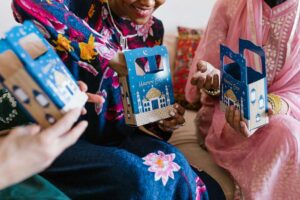
Product AR: a 3D model of the product appears on the user’s table or hand when they scan the label. Used for beauty and personal care brands showing application, food brands showing serving suggestions, or household goods brands showing assembly. HERA Bathroom used HOVARLAY Creator to build a CNY-themed AR experience from their packaging that drove engagement beyond the point of sale.
Gamified campaigns: the AR experience includes a spin wheel, scratch card, or AR treasure hunt mechanic tied to a prize or coupon. This is the highest-conversion format HOVARLAY supports, with an average 13.23% campaign conversion rate across activations (HOVARLAY internal data, 2025). The Summarecon Golden Expo activation and Happy Harvest 10.10 campaign both used gamified mechanics built through the Creator.
Brand storytelling: instead of AR objects, the experience delivers a video, animation, or interactive story triggered by the packaging. Used by heritage brands, limited editions, and campaigns where the narrative matters as much as the product. This format pairs well with the case studies at hovarlay.com/case-studies/.
Why No-Code Matters for AR Packaging
No-code AR packaging tools change the economics of building interactive label experiences. With a traditional AR development approach, building a single AR experience requires a developer, 3D designer, project manager, and QA cycle. That process takes weeks and costs significantly more than most CPG brands can justify for a single SKU.
HOVARLAY Creator compresses that to hours. A marketing team member with no technical background can upload an asset, configure a campaign, and publish a WebAR experience in the same afternoon. If the campaign needs to change new prize mechanic, new end date, localised copy for a different market the edit happens in the Creator dashboard without touching the label or involving a developer.
This speed matters for FMCG brands with seasonal campaigns. A CNY promotion has a defined launch window. A 10.10 campaign cannot afford a six-week development cycle. No-code AR packaging tools make real-time campaign management possible at shelf scale. For brands comparing AR packaging platforms, the no-code capability is not just a convenience feature it is the primary operational differentiator. See how HOVARLAY compares at hovarlay.com/augmented-reality-articles/no-code-ar-platform/.
How Do You Measure Results From a WebAR Creator?
Results from a WebAR creator are measured through the analytics layer built into the platform. HOVARLAY Insights tracks every scan event and every subsequent user action within the AR experience.
Key metrics available in HOVARLAY Insights: total scans, unique scan events, session duration, drop-off rate by experience stage, campaign conversion rate (form completions, prize claims, coupon downloads), geographic distribution, and device type breakdown. These metrics update in real time and are accessible from the same dashboard used to build the experience.
For brands running WebAR campaigns for the first time, the recommended starting metric is campaign conversion rate. At 13.23% average across HOVARLAY activations (HOVARLAY internal data, 2025), that number is the benchmark. A campaign running above benchmark is scaling well. A campaign below benchmark needs experience optimisation typically a simpler flow, a higher-value prize, or a clearer call to action. HOVARLAY Creator lets you make those changes without reprinting or rebuilding from scratch.
Pricing for HOVARLAY Creator starts at $6 per SKU per month. The free tier supports a single SKU for initial testing. Full platform details at hovarlay.com/pricing/.
Frequently Asked Questions
Q: What is a WebAR creator?
A: A WebAR creator is a no-code platform for building augmented reality experiences that run in a mobile browser without an app. Users upload assets, configure the experience, and publish it to a QR code or image target that can be placed on product packaging.
Q: Do I need coding skills to use HOVARLAY Creator?
A: No. HOVARLAY Creator is a drag-and-drop interface designed for brand and marketing teams with no coding background. Asset upload, experience configuration, campaign setup, and publishing are all handled through a visual interface. Developer access is available for advanced customisation but is never required.
Q: How long does it take to build an AR packaging experience?
A: A brand team with assets ready can build and publish a basic AR packaging experience in a few hours using HOVARLAY Creator. More complex experiences with custom 3D animations or multi-step gamification mechanics may take a day or two of configuration. Compare that to weeks for traditional developer-led AR builds.
Q: Can I update the AR experience after the labels are printed?
A: Yes. The AR experience is hosted in the cloud. The QR code on the label is a permanent link to that experience. You can update the content, change the campaign mechanic, extend the end date, or swap the AR asset entirely without reprinting. Only the label’s QR code is fixed everything behind it is editable.
Q: What file types does HOVARLAY Creator support?
A: HOVARLAY Creator supports common 3D formats (GLB, GLTF), video (MP4), image overlays (PNG, JPEG), and animation files. For brands without 3D assets, HOVARLAY’s team offers asset creation as part of Pro and Enterprise plans.
Related reading: Interactive Packaging: What It Is and Why CPG Brands Are Switching | Smart Packaging Technology: How Brands Turn Labels Into Channels