On this page
How AR Packaging Works: From QR Code to Immersive Experience
- What Is AR Packaging?
- How AR Packaging Gets Triggered
- QR Codes (Most Common)
- Image Recognition
- NFC Tags
- Scan Once. No App. No Waiting. Here's Why.
- App-Based AR (the old way)
- WebAR with HOVARLAY (the new way)
- So How Does It Actually Work?
- Step 1 — Trigger printed on packaging
- Step 2 — User scans with their camera
- Step 3 — Browser opens the experience
- Step 4 — Camera permission requested
- Step 5 — AR experience activates
- Step 6 — Engagement and data capture
- What You Can Show in AR Packaging
- Brand storytelling
- Product information
- Gamification
- Lead generation
- Limited editions and seasonal activations
- How to Build AR Packaging with HOVARLAY
- Real-World Performance
- HERA Bathroom — CNY Activation
- Happy Harvest 10.10
- Summarecon Golden Expo
- Frequently Asked Questions
- Does AR packaging require an app?
- How long does it take to build an AR packaging experience?
- What devices support WebAR?
- Does AR packaging change the print production process?
- How does HOVARLAY collect data from AR packaging?


- AR packaging links physical packaging to a digital experience via QR code, NFC, or image recognition. No app required.
- When a user scans, their browser loads a WebAR layer with 3D content, animations, or interactive elements.
- Scan to experience: under 3 seconds with HOVARLAY.
- Brands capture first-party data, run gamified campaigns, and measure engagement from the packaging itself.
- No developer skills needed. HOVARLAY’s no-code builder launches AR experiences in minutes.
Augmented reality packaging sounds complex. It is not. Once you understand the mechanics, how a QR code connects to a 3D experience that appears on a smartphone screen, it becomes obvious why CPG brands are moving fast on this.
What Is AR Packaging?
AR packaging is physical product packaging that links to a digital augmented reality experience. When a user scans a code or points their camera at the package, the real world transforms. Animations play, 3D objects appear, and interactive content activates directly in the browser.
No app download. No special hardware. Just a smartphone camera and a browser.
How AR Packaging Gets Triggered
There are three ways a user activates an AR packaging experience. Each has different use cases, costs, and tradeoffs.
QR Codes (Most Common)
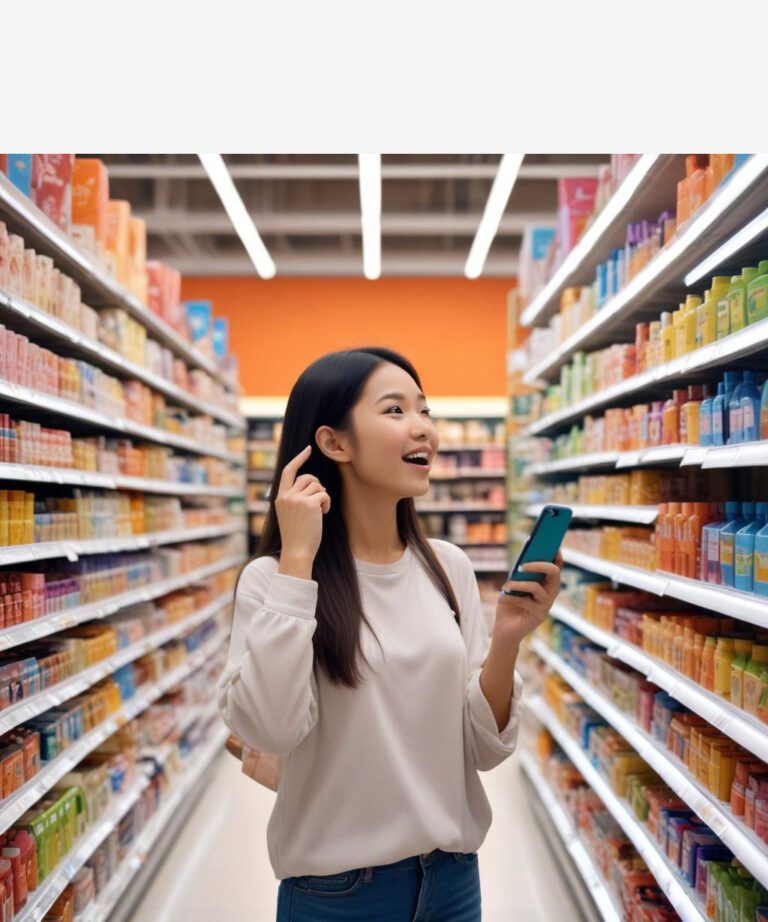
Every smartphone camera reads QR codes natively, no extra steps needed. The code encodes a URL and scanning opens the WebAR experience in under 3 seconds. Works on any packaging surface: bottles, cartons, pouches, sleeves, hang tags.
Image Recognition
Your packaging artwork itself is the trigger, no QR code needed. The camera recognises the design and overlays AR content. Creates a “magic label” effect on existing packaging without design changes.
NFC Tags
Embedded in packaging, activated by tapping a compatible smartphone. Premium option for luxury spirits, cosmetics, and gifting. Seamless tap-to-launch. Requires physical tag embedding during production.
Scan Once. No App. No Waiting. Here’s Why.
There are two ways to deliver an AR experience. The difference between them is the difference between a campaign that converts and one that doesn’t.
App-Based AR (the old way)
Users had to find the brand app, download it (often 100MB+), grant permissions, open the app, find the AR feature, then point at the packaging. Every step was a drop-off point. Most users left before ever seeing the experience.
WebAR with HOVARLAY (the new way)
Runs entirely in the browser. No download. No app store. No friction. The WebAR engine uses WebXR APIs built into modern browsers: Chrome, Safari, Samsung Internet, Firefox. This gives direct access to camera and motion sensors without any app installation. A user scans. The experience opens. Done.
So How Does It Actually Work?
Here is the full journey from printed packaging to live AR experience:
Step 1 — Trigger printed on packaging
A QR code is embedded in the packaging design during production. It is a standard print element with no special inks or processes needed. HOVARLAY generates the QR code from your dashboard.
Step 2 — User scans with their camera
Native camera app reads the QR code in under a second. iOS and Android both support QR scanning natively with no additional app required.
Step 3 — Browser opens the experience
The QR URL launches the user’s default browser. HOVARLAY detects device type, OS, and browser version, then loads the optimised version of the experience.
Step 4 — Camera permission requested
“This site wants to access your camera.” The user taps Allow. Once per device, subsequent visits skip this step.
Step 5 — AR experience activates
Camera feed appears on screen. Device motion sensors calibrate. 3D content, animations, or interactive elements load and anchor to the real world in real time.
Step 6 — Engagement and data capture
HOVARLAY captures scan count, unique users, time in experience, interaction events, and first-party data from lead capture forms. All visible in the HOVARLAY Insights dashboard in real time.
What You Can Show in AR Packaging
AR packaging is not just an animation on a label. The range of content it can deliver is wide and each format serves a different commercial objective.
Brand storytelling
3D characters, animated mascots, product origin stories overlaid on the packaging itself. Turn a label into a narrative.
Product information
Ingredient breakdowns, sustainability certifications, usage guides as interactive overlays rather than small-print labels. Give users the information they actually want, in a format they will engage with.
Gamification
Spin-the-wheel prizes, AR treasure hunts, scratch cards. HOVARLAY Campaigns averages a 13.23% conversion rate, significantly above industry benchmarks for digital promotions.
Lead generation
Embedded forms capture name, email, or phone number directly inside the AR experience. No redirect. No separate landing page. Users submit within the experience itself.
Limited editions and seasonal activations
CNY red packet AR, Ramadan activations, product launch countdowns. Packaging that is live and updatable, not static.
How to Build AR Packaging with HOVARLAY
The HOVARLAY no-code AR builder works like a visual editor with no technical skills required:
- Choose your trigger: QR code, image recognition, or NFC
- Upload your assets: 3D models, images, videos, animations
- Design your experience: drag, drop, arrange, set interaction logic
- Preview on device: test directly on your smartphone before publishing
- Publish and download your QR: go live, ready to print
A basic AR experience can be live in under an hour.
Real-World Performance
HERA Bathroom — CNY Activation
AR on red packet packaging. Users scanned to reveal animated AR wishes with strong brand recall and shareability during peak gifting season.
Happy Harvest 10.10
Gamified AR packaging to capture leads during the 10.10 shopping festival. Above-average conversion rates during a high-competition window.
Summarecon Golden Expo
AR added an interactive layer to event materials, driving engagement with prospective property buyers.
Frequently Asked Questions
Does AR packaging require an app?
No. HOVARLAY uses WebAR, which runs entirely in the browser. Users scan a QR code and the experience opens instantly. No download required.
How long does it take to build an AR packaging experience?
A basic experience takes under an hour. Complex gamified campaigns typically take a few hours to build and test.
What devices support WebAR?
Any modern smartphone: iOS Safari, Android Chrome, Samsung Internet. Covers the vast majority of active smartphones globally.
Does AR packaging change the print production process?
No. The QR code is a standard print element. No special inks, substrates, or processes required.
How does HOVARLAY collect data from AR packaging?
HOVARLAY Insights tracks every scan, interaction, and form submission. User data is captured inside the AR experience and stored securely in your HOVARLAY dashboard. No third-party ad tracking.
Turn your packaging into an interactive experience. Start free on HOVARLAY →